Workforce Order and Dispatcher
WorkforceOrder is the operational entry point into WFM. It captures what work is needed, where and when it should happen, and which service context it belongs to.
1. Workforce Order Meaning
Workforce order represents a request to realize field work, usually created by API from source applications.
Typical source domains:
- incident handling,
- provisioning and activation,
- planned maintenance,
- customer-requested changes.
2. Order Data Scope
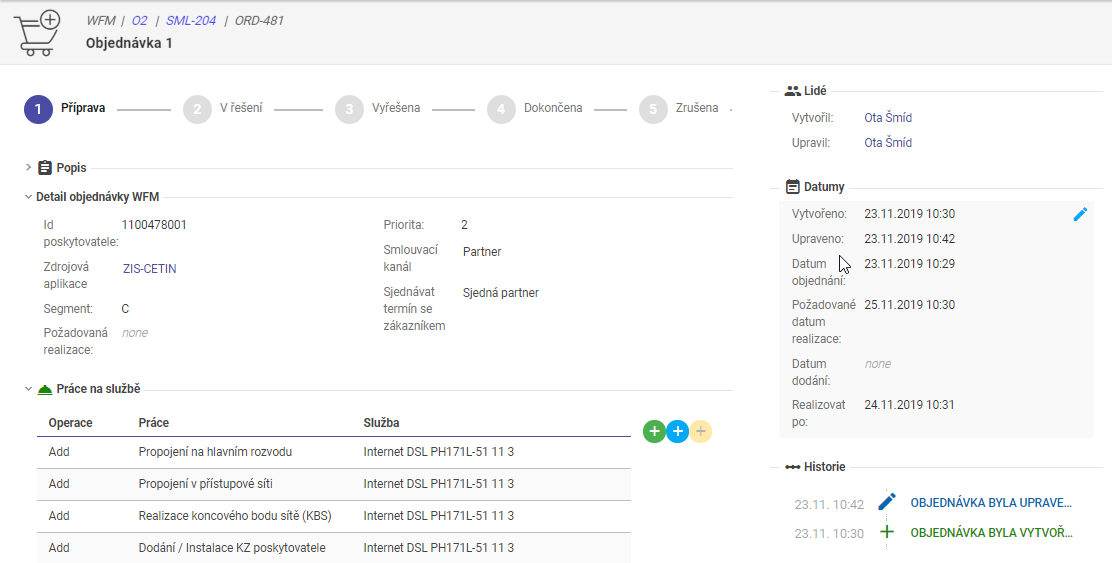
Typical order payload contains:
| Field Group | Typical Content | Purpose |
|---|---|---|
| Work definition | work request type(s), line items | Defines what should be done |
| Service reference | service ID/context | Links work to affected service |
| Location | address/place + GPS | Enables routing and zone logic |
| Time requirements | due date, optional not-before date | Drives planning windows |
| Technical parameters | technology/context data | Improves task feasibility |
| Optional resource hints | preferred resource | Supports controlled manual targeting |
Order detail example:
3. Service Inventory Linkage
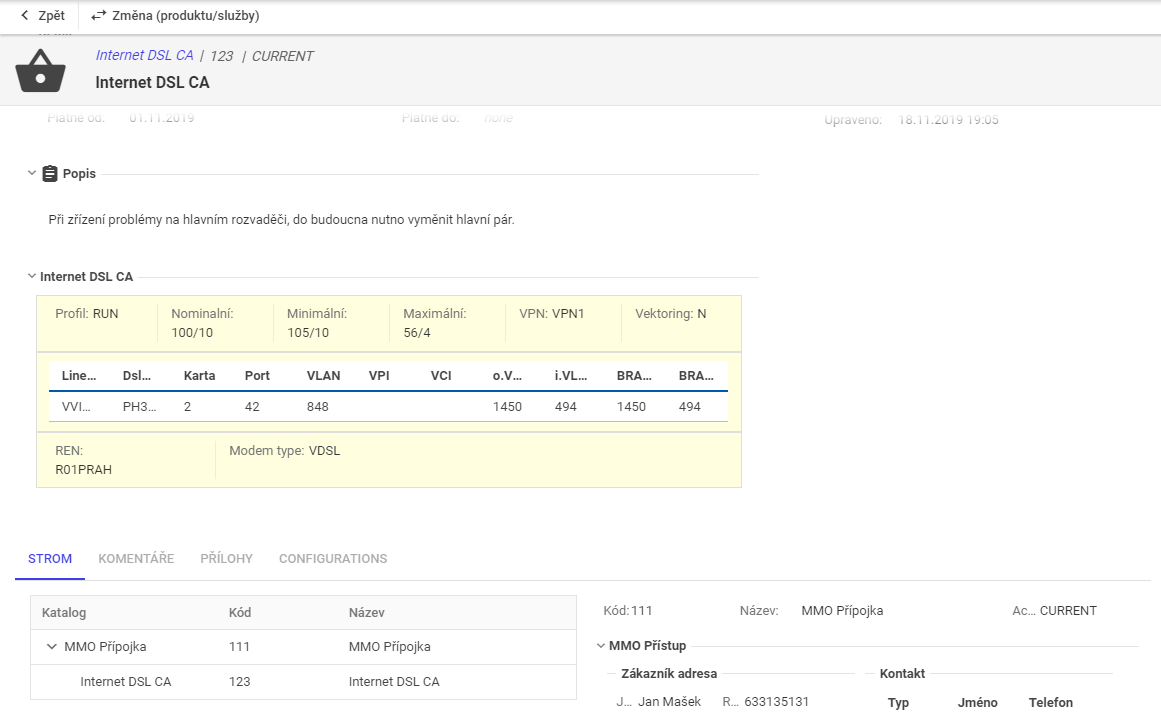
Workforce order can reference service inventory for operational context.
Patterns:
- reference existing service instance,
- create lightweight service record for WFM support when external inventory is authoritative,
- expose service details in order UI for faster execution decisions.
Service context example:
4. Order Lines (Work Requests)
One workforce order can contain multiple order lines.
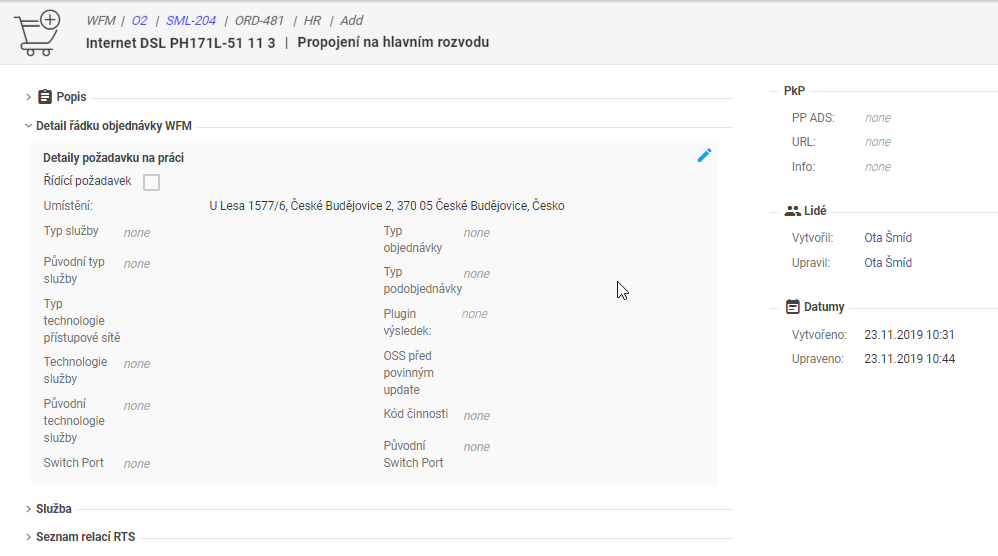
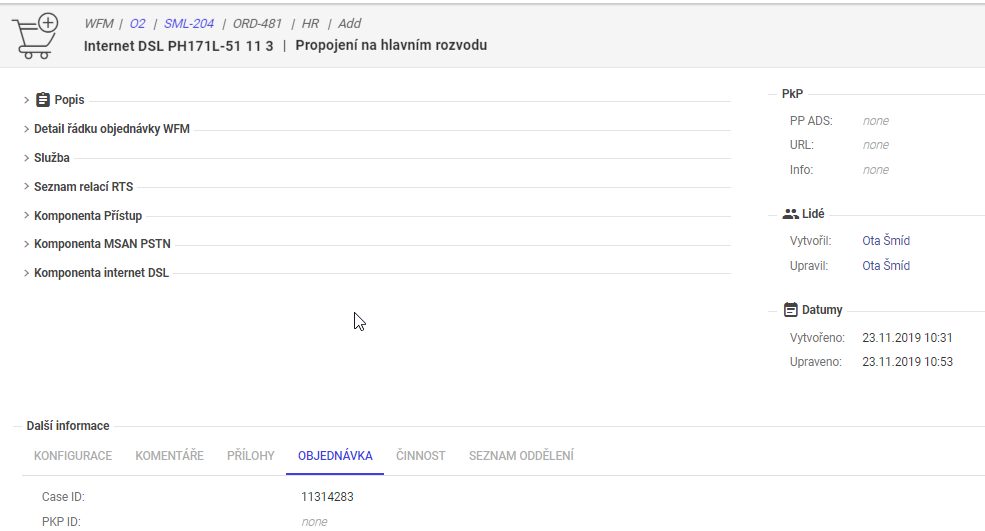
Each order line defines one work request on the service and can include:
- WFM-specific planning data,
- work-specific technical attributes,
- service-related data required by process/tasks.
Order line examples:
5. Process Generation from Order
After order creation, tSM selects one or more process definitions and generates executable tasks.
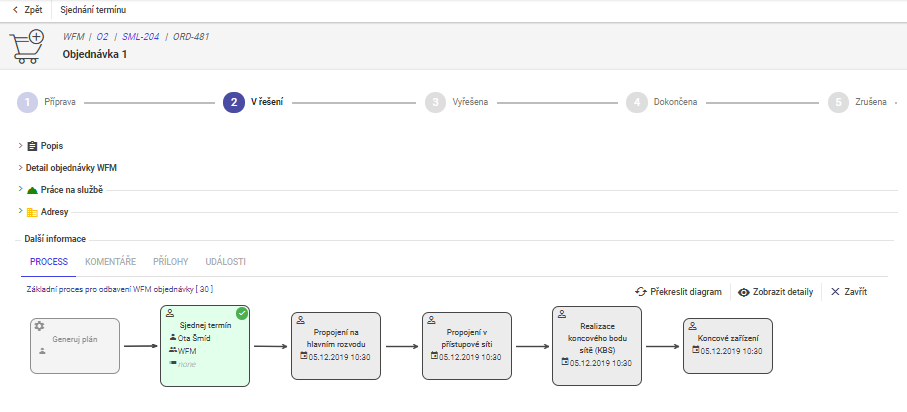
Related orchestration view:
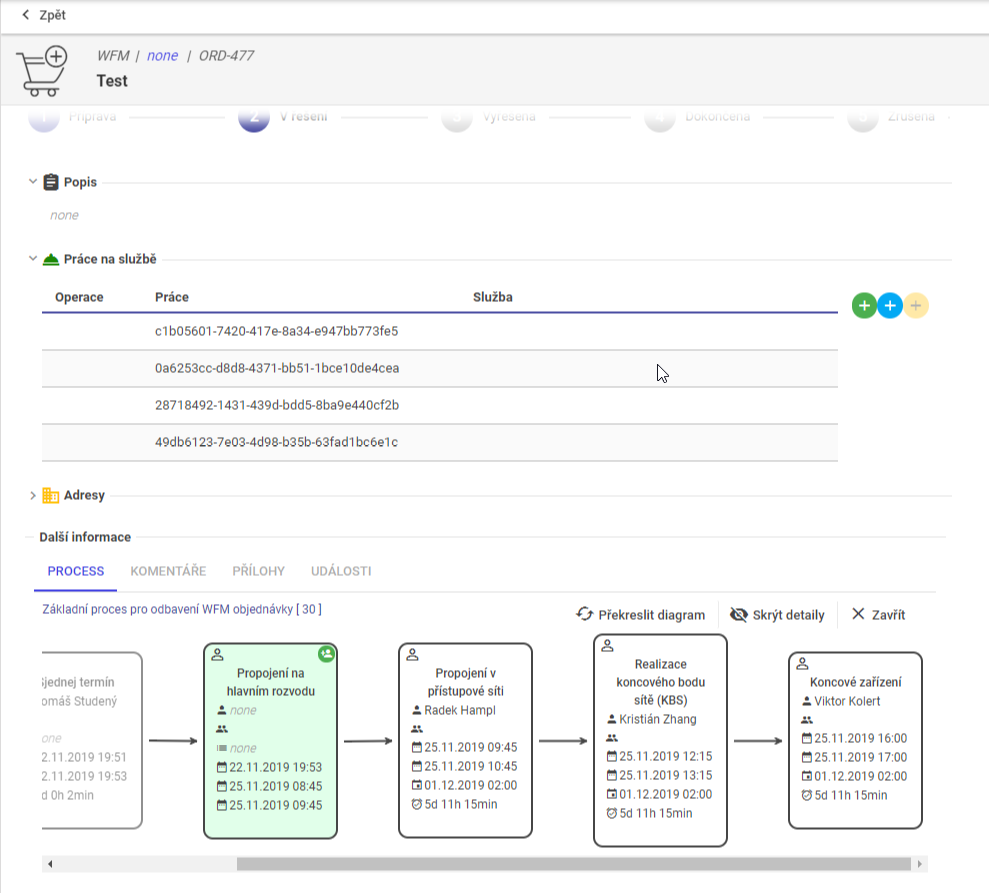
5.1 Transformation Behaviors
Depending on configuration, system can:
- expand lines to multiple tasks,
- merge compatible requests into one package,
- create grouped tasks for operational efficiency,
- stop for appointment negotiation when customer slot is mandatory.
6. Dispatcher Operating Model
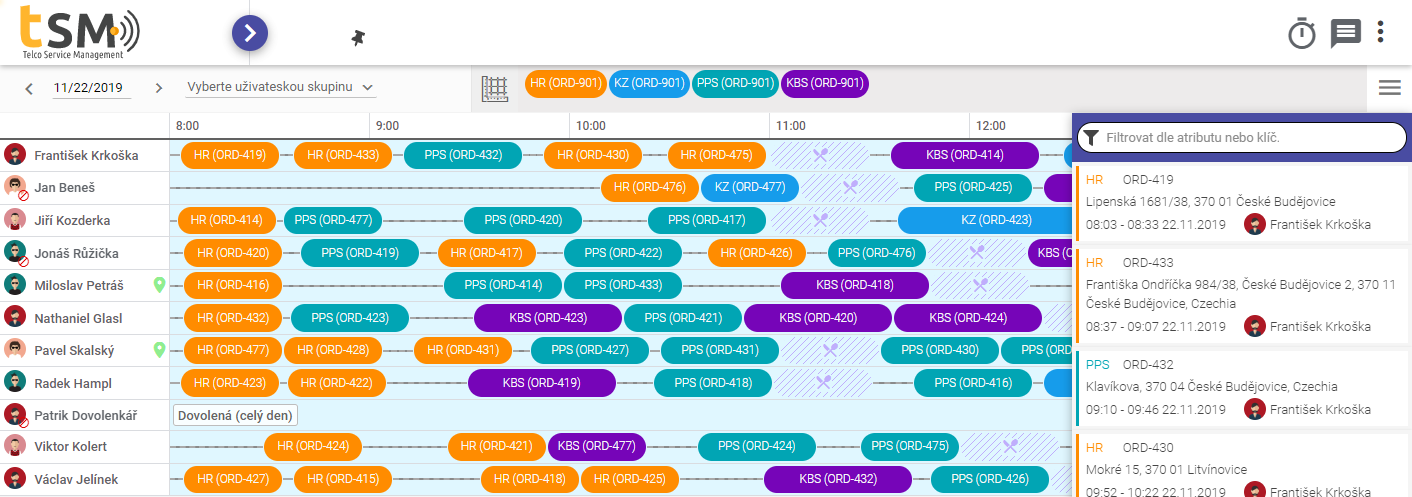
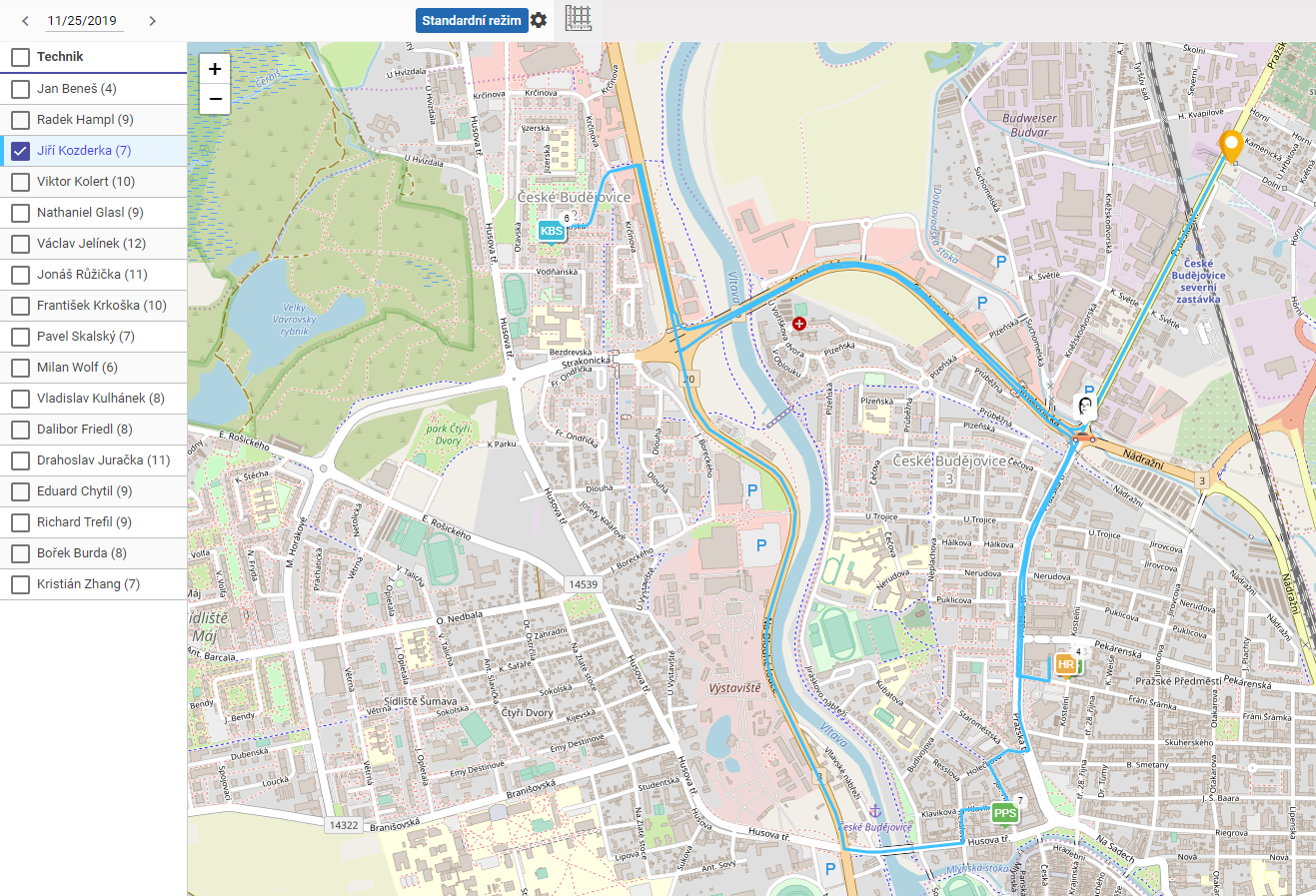
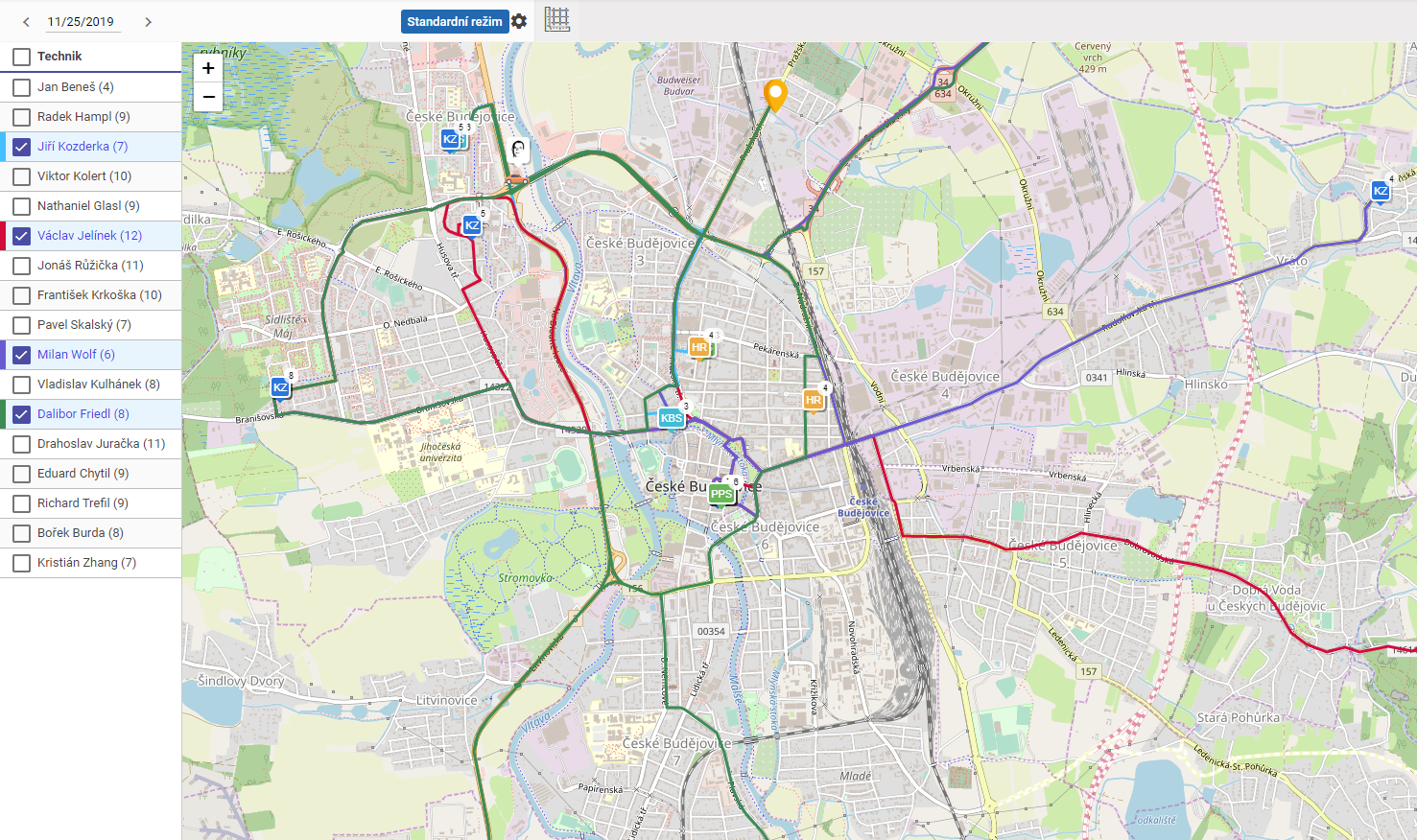
Dispatcher supervises daily execution and resolves collisions between plan and reality.
Main capabilities:
- monitor plans on Gantt and map,
- inspect technician routes and current locations,
- view unscheduled tasks and planned outages,
- apply controlled manual interventions,
- run dry-run simulations before commit.
Dispatcher UI examples:
7. Collision Resolution and Dry Run
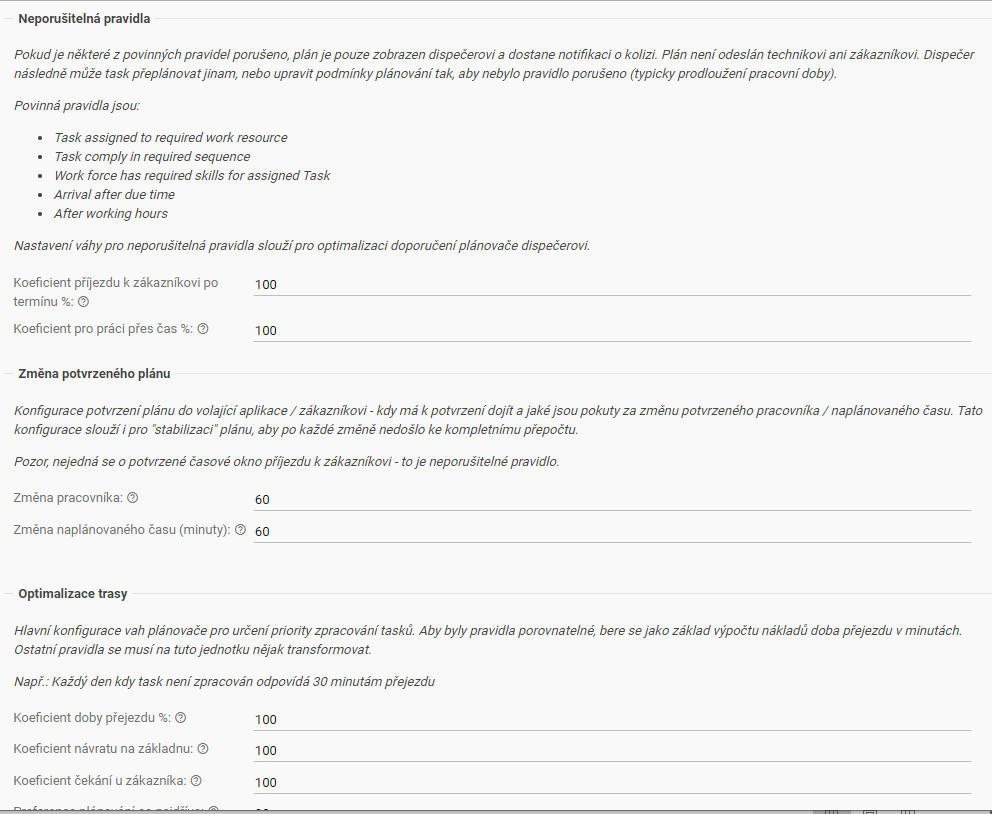
Typical interventions:
- extend working hours,
- change selected task assumptions,
- pin selected tasks to resource/time,
- temporarily exclude resources from automatic planning,
- manually create or adjust part of daily plan.
Recommended practice:
- copy active planner to dry-run mode,
- test changes and inspect side effects,
- apply selected changes to master planner.
Planner settings and mode management:
8. Governance Notes
- treat manual dispatcher pinning as controlled exception,
- log operational overrides for post-analysis,
- keep clear rules for when to switch planner mode,
- align appointment, scheduler, and dispatcher policies.