Process and Task Model
WFM execution in tSM is process-driven. The scheduler does not operate on isolated tickets; it schedules workforce tasks generated and governed by BPMN processes.
1. Business Meaning
The process layer is used to:
- transform a business work requirement into executable task sequence,
- model serial/parallel realization steps,
- coordinate timers, messages, escalations, and notifications,
- keep execution logic configurable without code changes.
WFM task is a specialized BPMN user task type where assignment is schedule-optimized to concrete time and resource.
2. Process Definition (BPMN/DMN)
tSM uses the integrated tSM Process Engine for WFM orchestration.
Core modeling capabilities:
- BPMN workflow modeling,
- DMN decision modeling,
- process variables and expression evaluation,
- timers and event handling,
- reusable process templates.
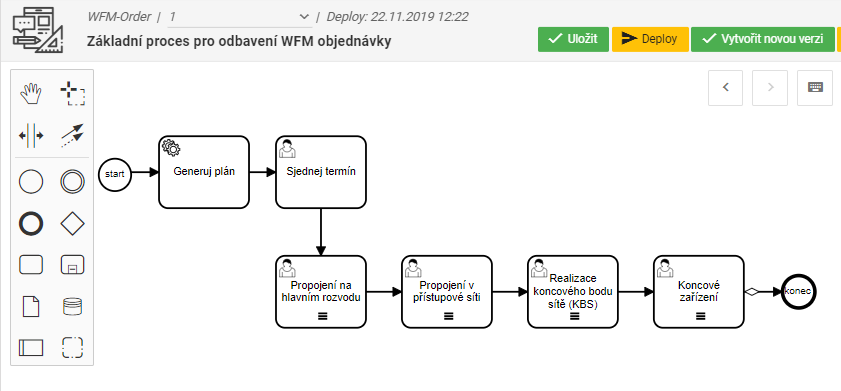
Example process flow for workforce realization:
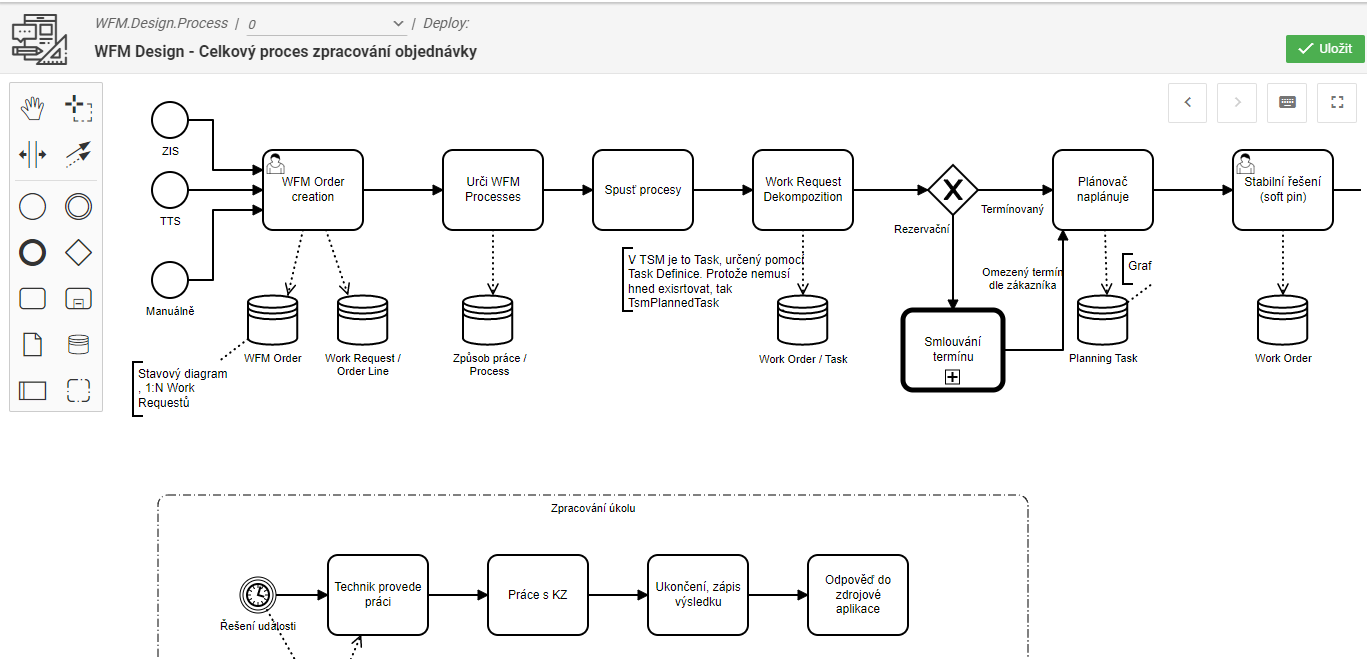
Process modeling and analysis view:
2.1 Typical Execution Pattern
- Source module creates workforce order.
- Process selection logic picks one or more process definitions.
- Process instance creates workforce tasks.
- Scheduler assigns tasks to resources/time slots.
- Task completion events drive subsequent process steps.
2.2 Task actions approach:
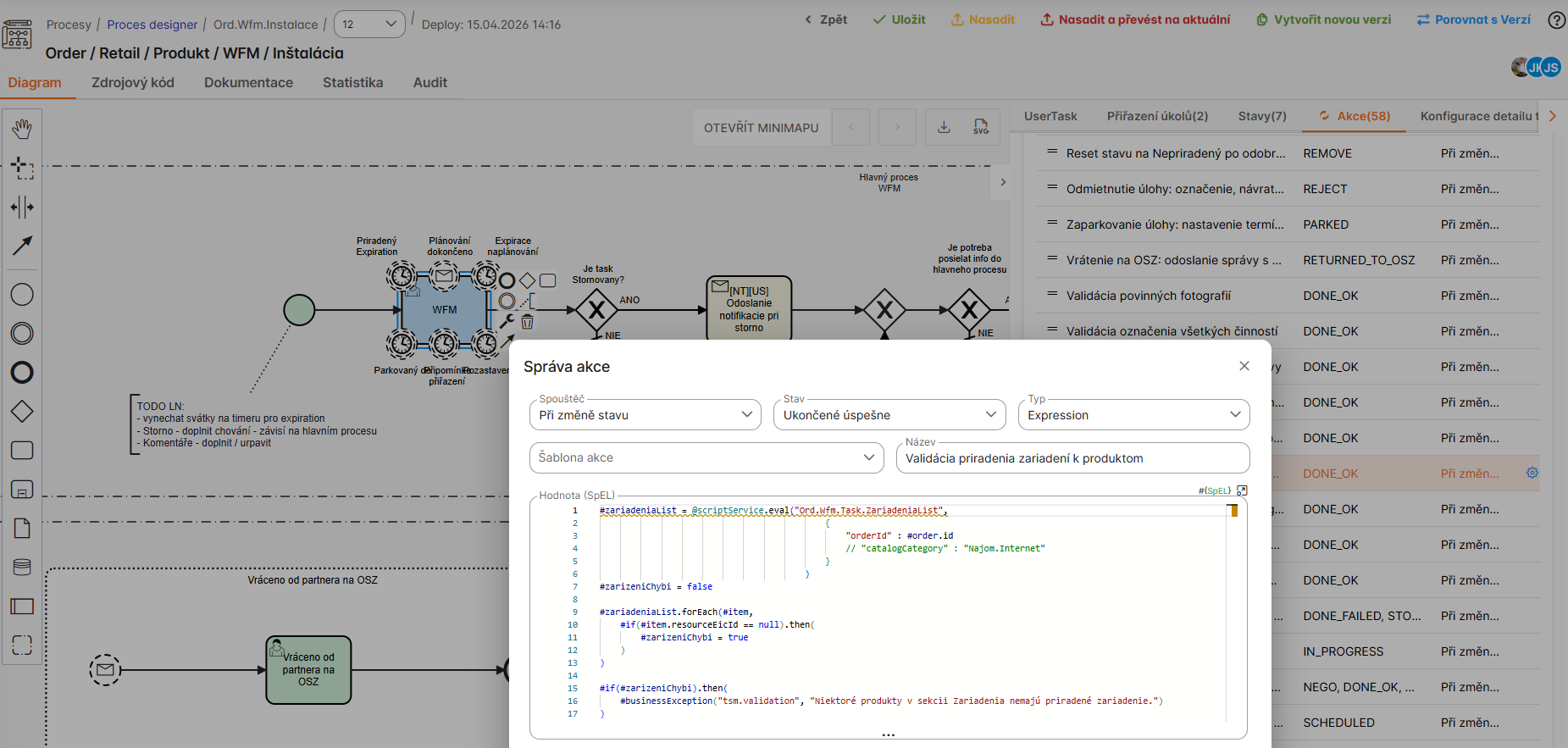
If a complex process model is not required, individual activities can be realized using actions within a single WFM task. This approach simplifies configuration, reduces overhead, and allows for quick setup of straightforward work items without the need for full BPMN orchestration.
3. Task Definition Catalog
Task definitions are reusable templates referenced by process models.
Task template usually defines:
- description/instructions,
- required skills,
- planned duration,
- optional expressions resolving values from order context.
3.1 Task / task template definition
User task definition in the process model:
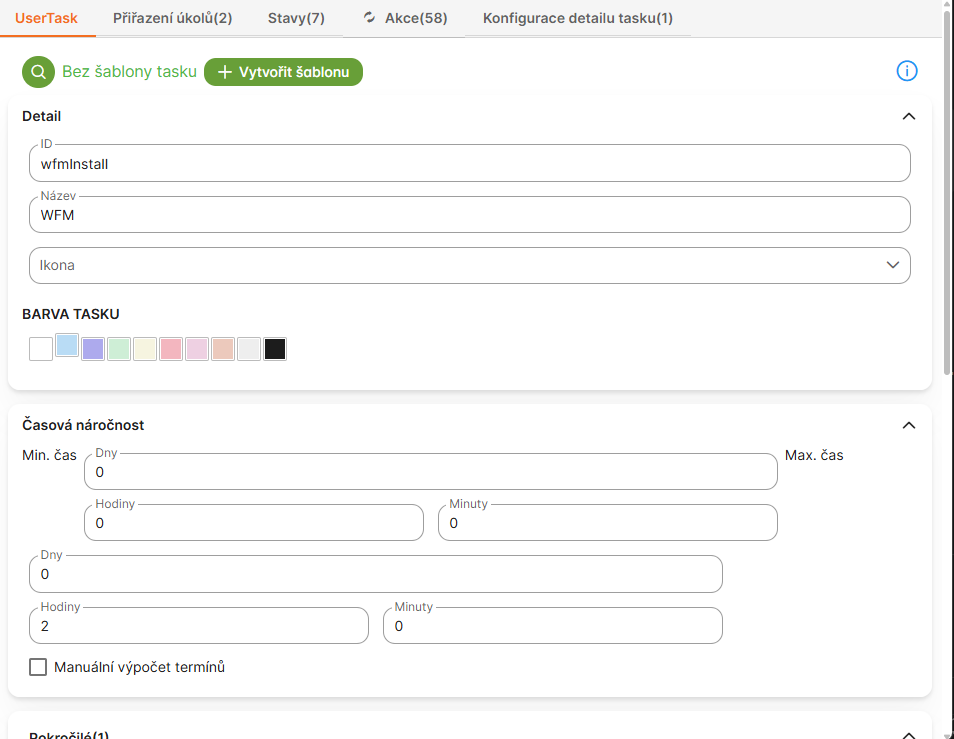
This view shows the configuration of a user task in the BPMN process model, including task name, description, assignee rules, and integration with WFM scheduling. Key elements include task type selection, priority settings, and links to workforce resources.
Assigning tasks in the definition:
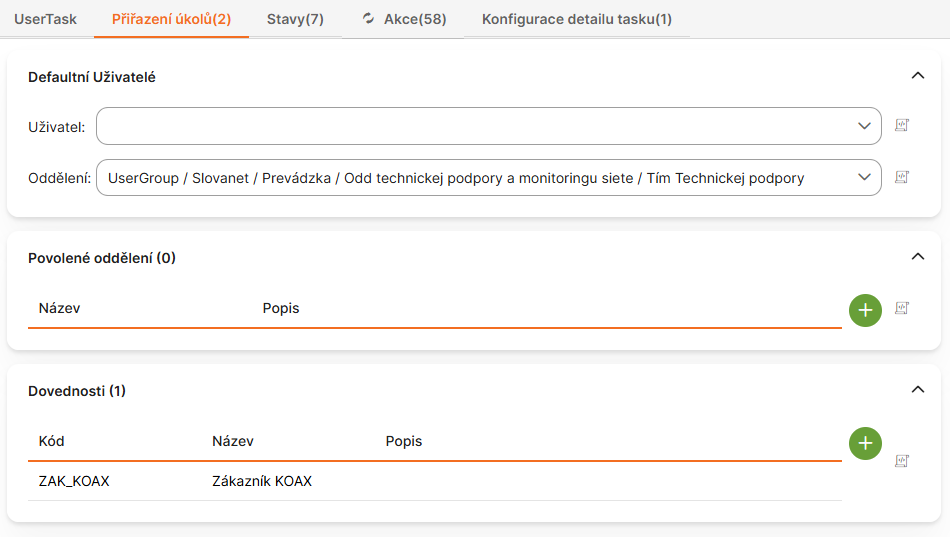
Here, tasks are assigned to specific roles or groups within the process. Options include direct assignment to users, groups, or dynamic assignment based on expressions evaluating process variables, skills, or availability.
Statuses for task definition:
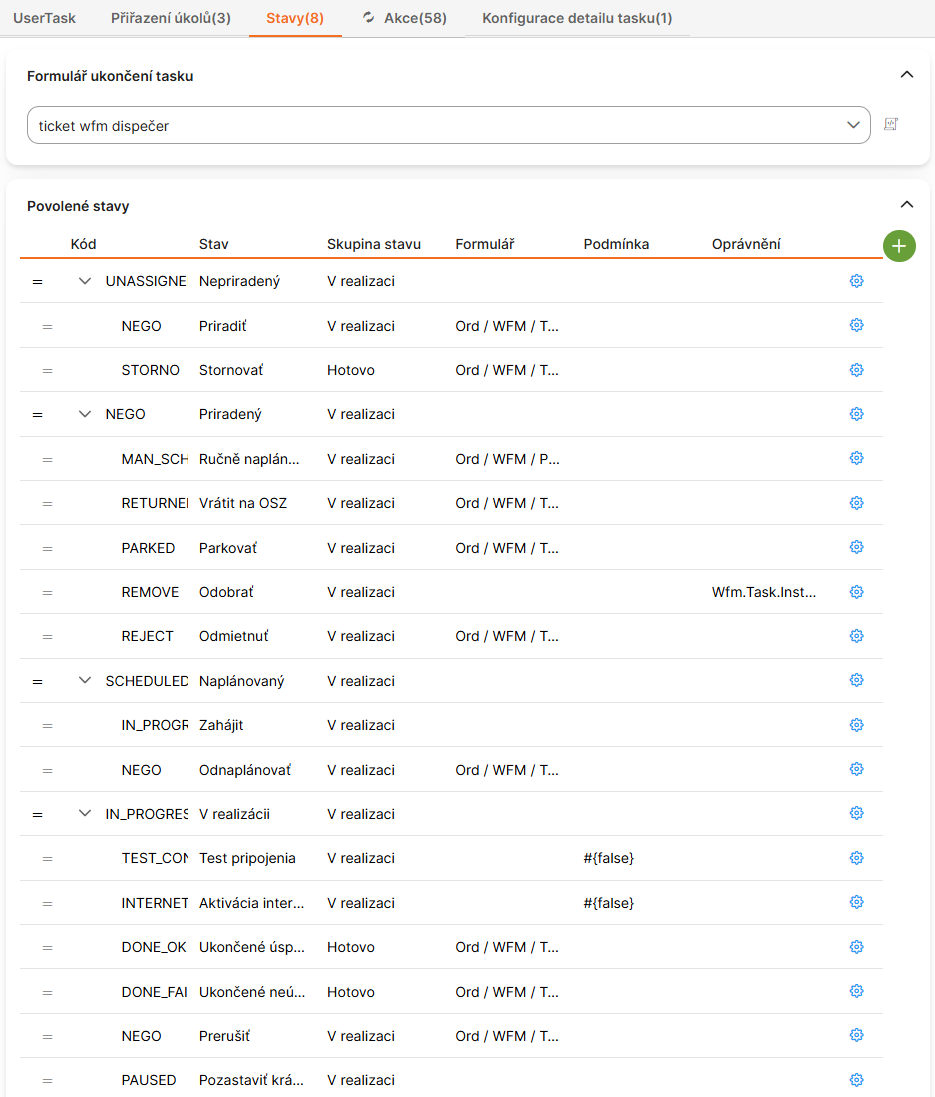
This interface defines possible statuses for the task lifecycle, such as 'Created', 'Assigned', 'In Progress', 'Completed', or 'Cancelled'. Each status can trigger events, notifications, or transitions in the process flow.
Actions in task definition:
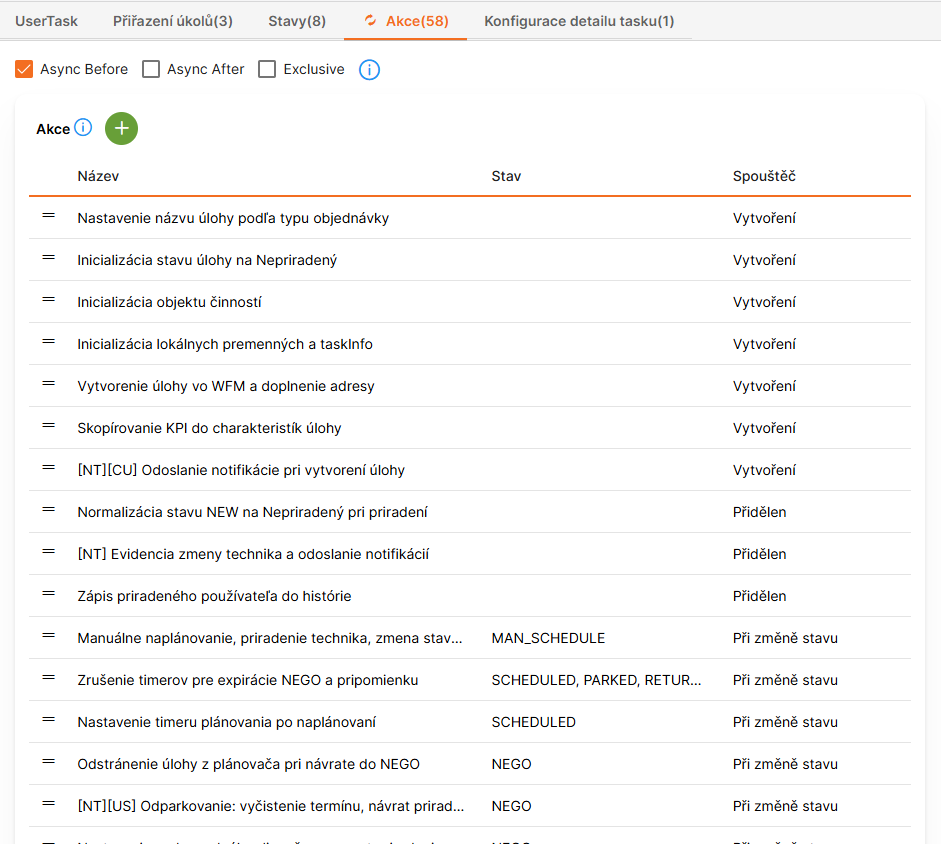
Actions allow defining executable steps within the task, like checklists, forms, or integrations. Possible actions include data entry, file uploads, external API calls, or automated validations to ensure task completion requirements.
Detail settings of the WFM task in the mobile view:
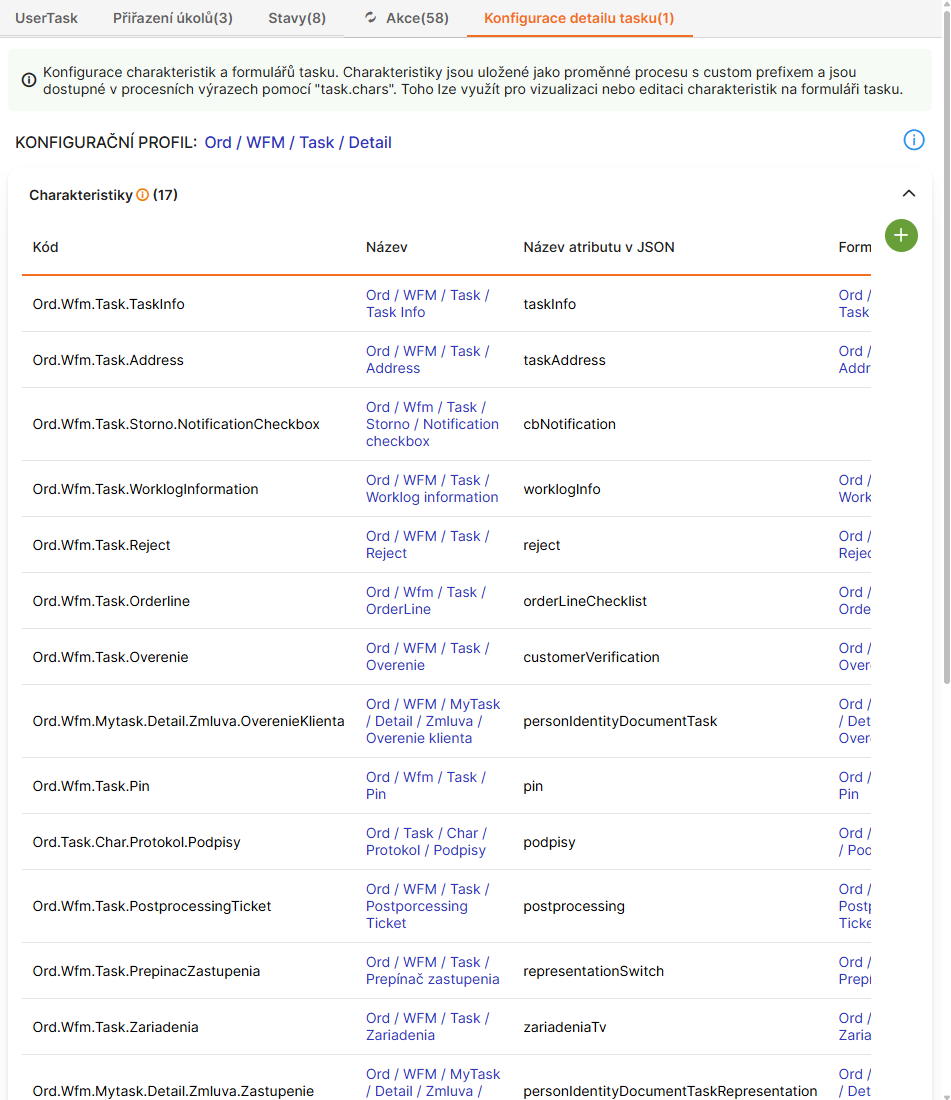
Detailed configuration options for how the task appears in the mobile app, including UI elements like buttons, fields, icons, and layout. Settings can customize labels, mandatory fields, visibility of sections, and mobile-specific behaviors like offline support or GPS tracking.
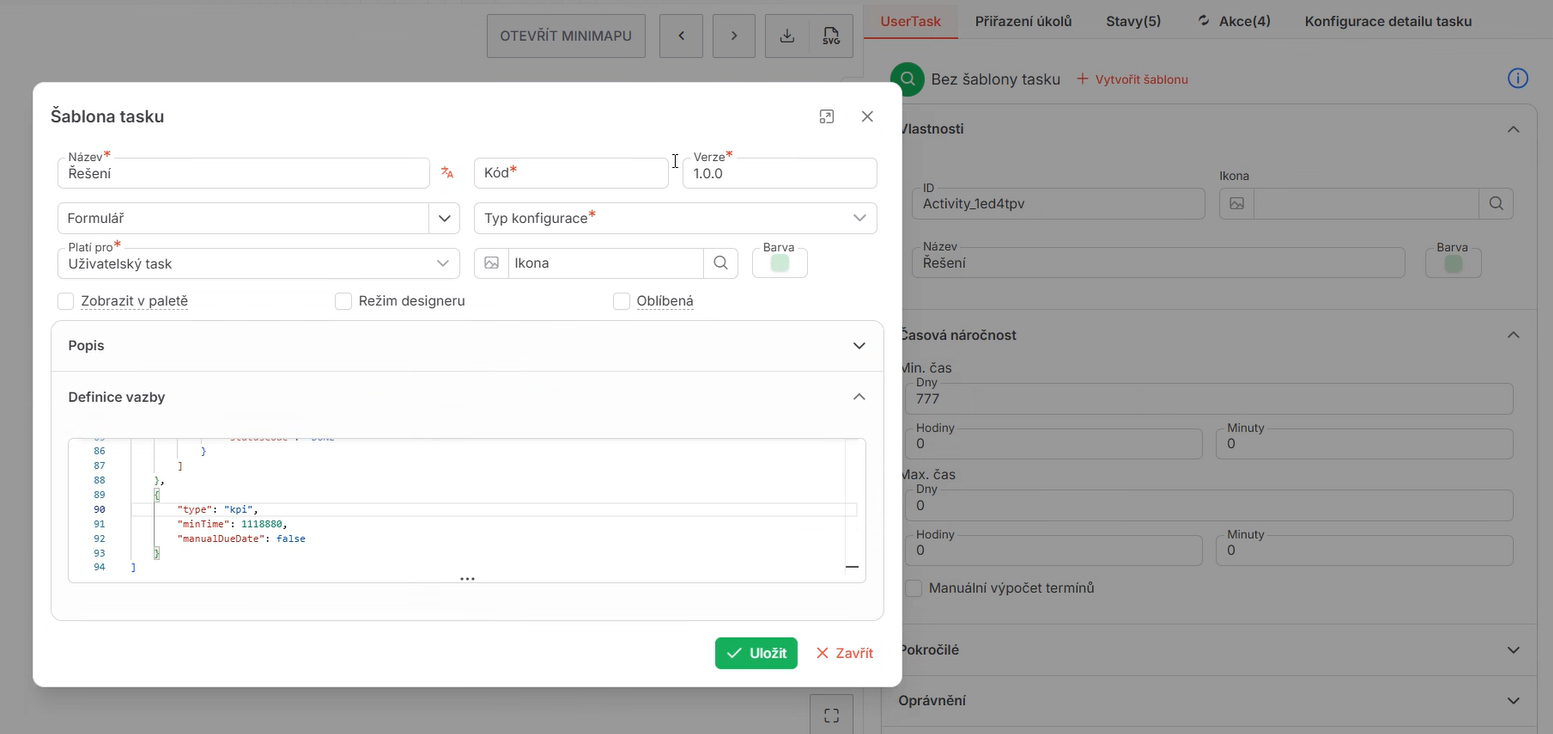
Task template creation:
3.1 Constant vs Expression-driven Attributes
| Mode | Example | Usage |
|---|---|---|
| Constant | fixed duration = 120 min | Stable operational task |
| Expression | duration from order parameters | Variable work complexity |
| Hybrid | base duration + modifiers | Controlled flexibility |
4. Workforce Task Sets and Sequencing
WFM processes often model multi-step implementation packages.
Example package pattern (from source material):
HRMDF wiring,PPSswitchboard work,PRIVlast-mile connection,KBSendpoint/network termination,KZCPE installation.
Such sets can contain serial dependencies, optional branches, and synchronization points.
5. Process and Scheduler Boundary
- process engine decides logical execution order and state transitions,
- scheduler decides concrete assignment by resource/time/route constraints,
- dispatcher may override or pin decisions when needed.
This separation keeps workflow semantics stable while allowing continuous planning optimization.
6. Practical Governance
- keep process definitions small and composable,
- standardize reusable task templates,
- prefer configuration tables/forms over hardcoded logic,
- version process definitions and activate with explicit lifecycle control,
- test process and scheduling constraints together before production rollout.