Fluent Object
The dtl-fluent-object widget serves as a container for grouping object properties or as a layout element for organizing fields.
It is possible to insert more complex layouts and other layout components (e.g., columns, cards) into an object, while all data remains encapsulated under the key of that object. This allows creating a richer form structure while maintaining a clean data model.
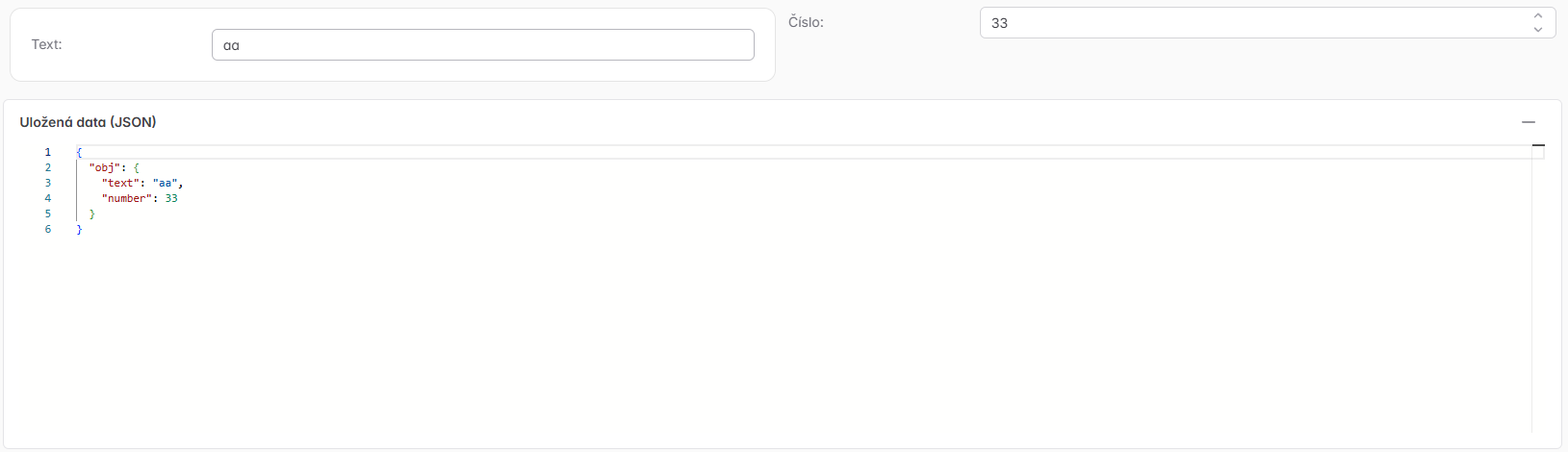
The following example shows an object obj containing a text field and a number. Visually, these fields are divided into two columns and each is wrapped in a card (dtl-fluent-card), but data-wise they still belong under obj.
{
  "type": "object",
  "properties": {
    "obj": {
      "type": "object",
      "properties": {
        "text": {
          "type": "string",
          "title": "Text",
          "widget": {
            "type": "text"
          }
        },
        "number": {
          "type": "number",
          "title": "Číslo",
          "widget": {
            "type": "number"
          }
        }
      },
      "widget": {
        "type": "dtl-fluent-object"
      }
    }
  },
  "widget": {
    "type": "dtl-fluent-section"
  },
  "layout": [
    {
      "propertyKey": "obj",
      "type": "layout",
      "items": [
        {
          "type": "layout",
          "items": [
            {
              "type": "layout",
              "widget": {
                "type": "dtl-fluent-card"
              },
              "items": [
                "obj.text"
              ]
            },
            "obj.number"
          ],
          "config": {
            "columns": [
              {
                "width": 6,
                "content": [
                  0
                ]
              },
              {
                "width": 6,
                "content": [
                  1
                ]
              }
            ],
            "innerPageLayout": false
          },
          "widget": {
            "type": "dtl-fluent-columns"
          }
        }
      ],
      "widget": {
        "type": "dtl-fluent-object"
      }
    }
  ]
}
Recursive Nesting
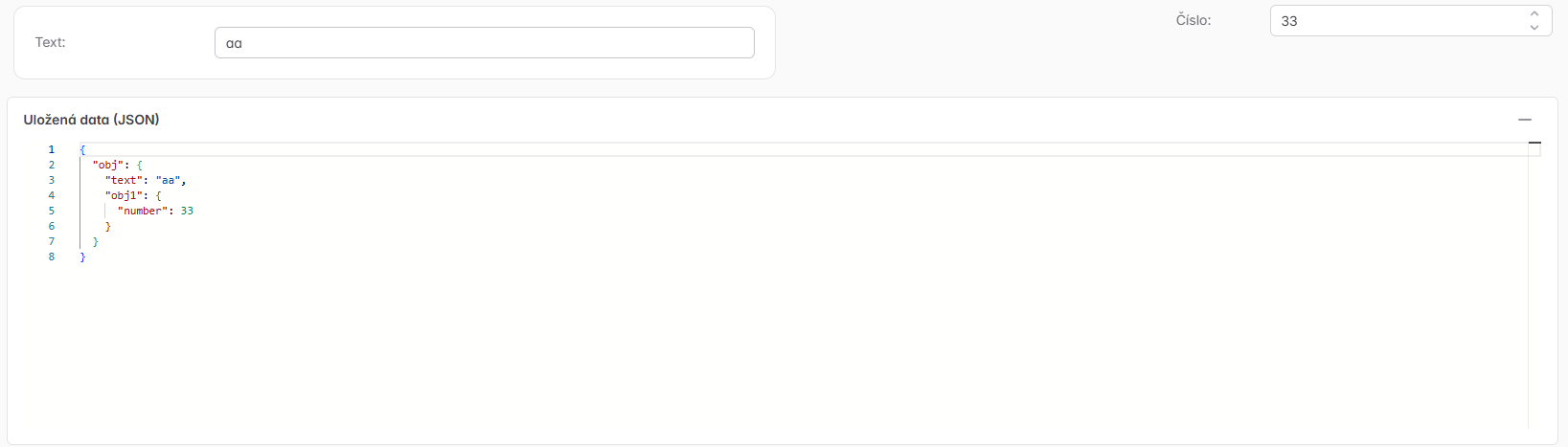
It is possible to recursively nest objects within each other and include layouts inside them.
{
  "type": "object",
  "properties": {
    "obj": {
      "type": "object",
      "properties": {
        "text": {
          "type": "string",
          "title": "Text",
          "widget": {
            "type": "text"
          }
        },
        "obj1": {
          "type": "object",
          "properties": {
            "number": {
              "type": "number",
              "title": "Číslo",
              "widget": {
                "type": "number"
              }
            }
          },
          "widget": {
            "type": "dtl-fluent-object"
          }
        }
      },
      "widget": {
        "type": "dtl-fluent-object"
      }
    }
  },
  "widget": {
    "type": "dtl-fluent-section"
  },
  "layout": [
    {
      "propertyKey": "obj",
      "type": "layout",
      "items": [
        {
          "type": "layout",
          "items": [
            {
              "type": "layout",
              "widget": {
                "type": "dtl-fluent-card"
              },
              "items": [
                "obj.text"
              ]
            },
            {
              "propertyKey": "obj.obj1",
              "type": "layout",
              "items": [
                {
                  "type": "layout",
                  "items": [
                    "obj.obj1.number"
                  ],
                  "config": {
                    "columns": [
                      {
                        "width": 6
                      },
                      {
                        "width": 6,
                        "content": [
                          0
                        ]
                      }
                    ],
                    "innerPageLayout": false
                  },
                  "widget": {
                    "type": "dtl-fluent-columns"
                  }
                }
              ],
              "widget": {
                "type": "dtl-fluent-object"
              }
            }
          ],
          "config": {
            "columns": [
              {
                "width": 6,
                "content": [
                  0
                ]
              },
              {
                "width": 6,
                "content": [
                  1
                ]
              }
            ],
            "innerPageLayout": false
          },
          "widget": {
            "type": "dtl-fluent-columns"
          }
        }
      ],
      "widget": {
        "type": "dtl-fluent-object"
      }
    }
  ]
}
For a complete list of configuration options for the dtl-fluent-object widget, see the Advanced Widgets Reference.